
How to prepare for your energy bill on Stark ID before it arrives
Why waiting for your bill is too late
Energy costs are shaped by when you use energy, not just how much you use.
If you only find out on bill day, it’s hard to correct.
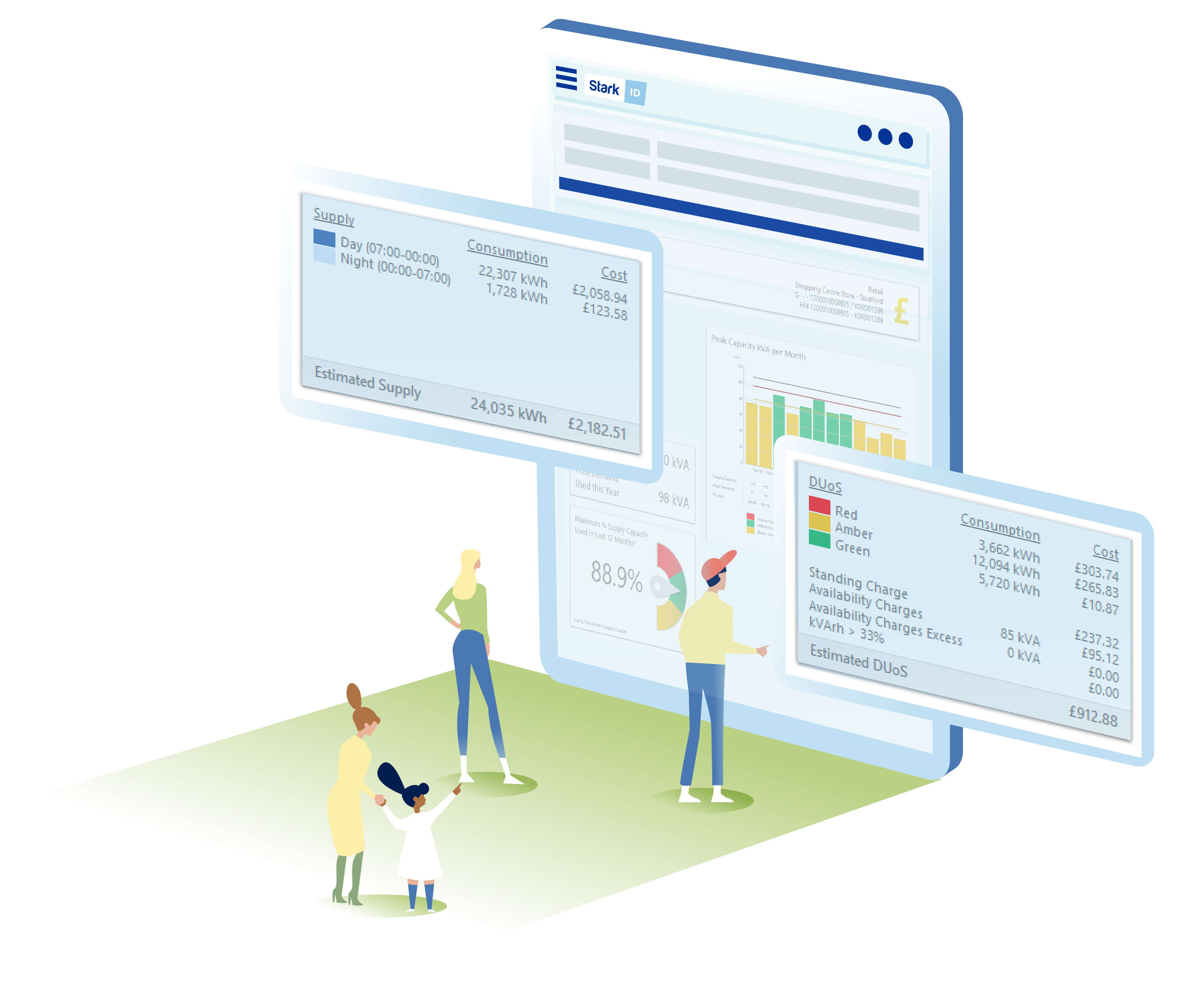
With Stark ID’s Cost Reporting, you can see a near‑real-time estimate of your bill using your tariff on D+1 data, break down every cost driver, and focus your efforts where they’ll have the biggest impact.
See your energy costs before your bill arrives, and act while it still matters.
What is cost transparency, and why does it matter?
Cost transparency means understanding what your total costs are made of: distribution charges, red/amber/green periods, capacity charges, commodity vs non‑commodity elements, and more.
When you can see these charges in context, by half-hour or across your portfolio, you unlock targeted savings without guesswork.
With Stark ID Cost Reporting you can:
- Break costs down by the half-hour
- Explore distribution RAG reports to tackle peak-cost periods
- View league tables and meter-level drilldowns to find priorities
What drives energy costs (and how to control them)
- Time of use: Consumption during red-band periods is disproportionately expensive
- Capacity (kVA): Too little capacity risks penalties; too much means paying for energy that you don’t use
- Tariff structure: Pass-through components can dominate spend, especially with policy/regulatory changes
- Behaviour and operations: Start-up spikes, late shutdowns, or misaligned processes add avoidable costs
- Portfolio mix: A few high-impact sites often drive the majority of costs
D+1 cost estimates: end bill-day surprises
D+1 estimates apply your tariff to yesterday’s metered data, giving you a 95%+ indication of your upcoming bill.
That means no bill shocks, if a site’s cost spike you’ll see it the next day.
You can make faster decisions by tweaking operations in days, not weeks later.
Finance teams can prepare month-end with scheduled reports. Several large organisations use Cost Reporting for accruals, scheduling month-end reports to land before supplier invoices. So finance stays ahead.
How to get started in Stark ID
If you are a current Stark ID user, you can run reports on a sample day/night tariff initially. If you have Cost Reporting enabled with your tariffs, you can access this through Static Reporting > Cost Reports.
If you would like Cost Reporting to reflect your tariffs, please contact our Customer Support team here who can help you further.
If you do not have Stark ID, please contact us here and a member of the team can discuss further with you.
What to do once Cost Reporting is enabled with your tariffs
- Run your first Cost Profile report: Start with a recent week and explore the breakdown by charge
- Check your RAG distribution: Identify the most expensive times of day and target quick wins
- Review capacity: Use Supply Capacity reports to assess headroom and potential savings
- Schedule reports: Set monthly accruals for Finance and periodic league tables for Energy teams
Please note that this is not a bill validation system, we don’t import supplier invoices or replicate every possible line item.
Already a Stark ID customer? Log in to run a cost report today.
 Don’t miss out
 Don’t miss out
Stay in the loop with our news, events and more direct to your inbox

